Most LinkedIn profiles are written like résumés, a list of jobs, aimed at a hiring manager who isn’t coming. If you want your profile to actually generate leads, you have to flip that thinking: your profile is a landing page, and every section should move the right visitor one step closer to reaching out.
Here’s how to optimize LinkedIn profile for leads, section by section, so that when a prospect lands on your page, they immediately understand who you help, why you’re credible, and exactly what to do next.
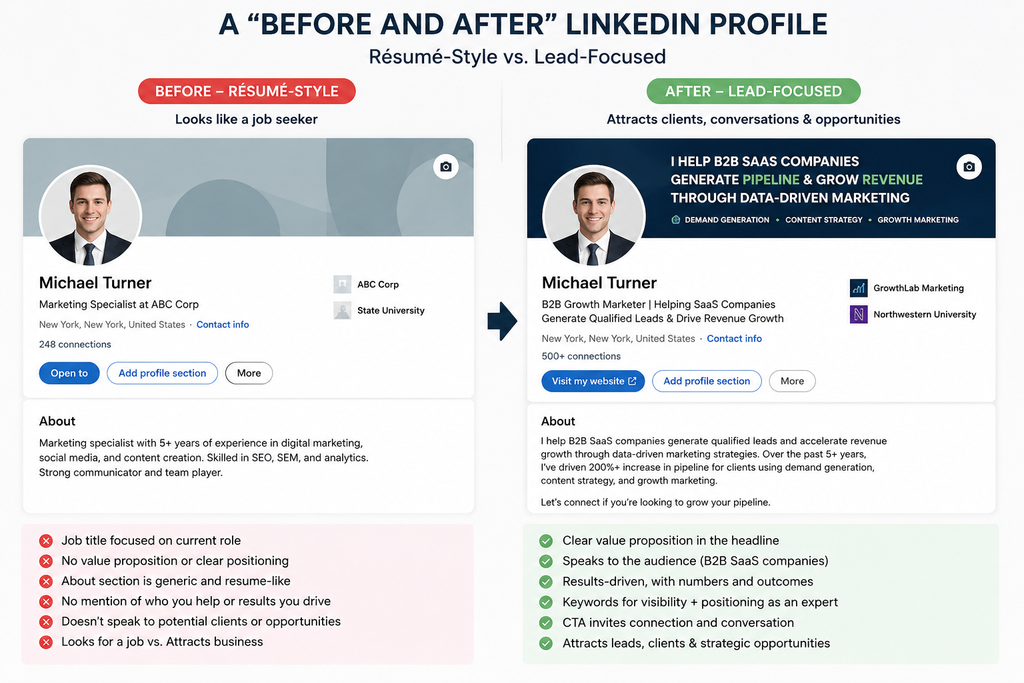
First, Reframe the Goal
A résumé profile answers “What have I done?” A lead-generating profile answers “Can this person solve my problem, and how do I take the next step?”
Every visitor arrives with a silent question: “What’s in it for me?” Optimize each section to answer it, and your profile stops being a digital business card and starts booking calls.
How to Optimize Your LinkedIn Profile for Leads, Section by Section
1. Profile photo & banner: your first 3 seconds
- Photo: clear, friendly, well-lit, face filling ~60% of the frame. This builds instant trust.
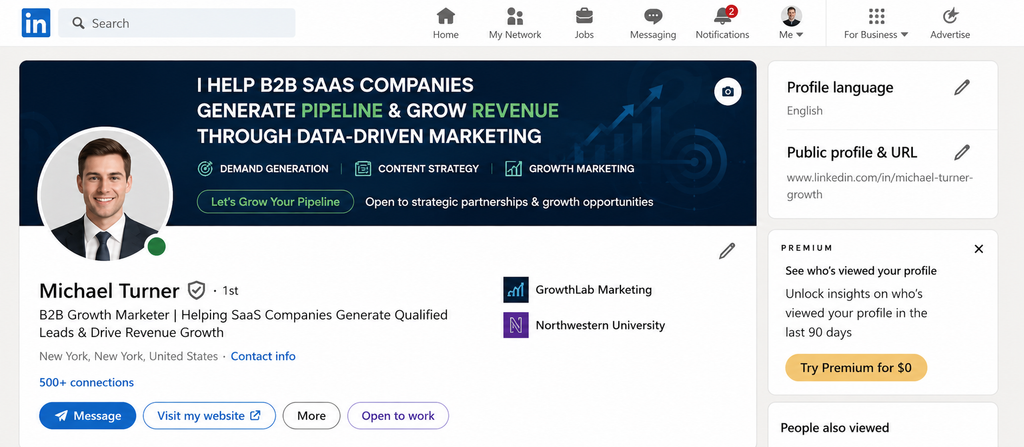
- Banner: this is prime, wasted real estate on 90% of profiles. Use it like a billboard: who you help, a proof point, and a call to action. “I help SaaS founders book 20+ demos/month, DM ‘DEMO’ to start.”
2. Headline: the most-read line on your profile
Your headline follows you everywhere, in the feed, in search, in comments. Don’t waste it on “Account Executive at Company.”
Use a simple formula: [Who you help] + [outcome you deliver] + [how].
❌ “Senior Consultant | MBA”
✅ “I help B2B agencies scale LinkedIn outreach without account bans | Founder @ PigeonScout”
Bake in the keywords your buyers actually search (more on that in [LinkedIn Profile Keywords: How to Get Found]).
3. About section: your sales page
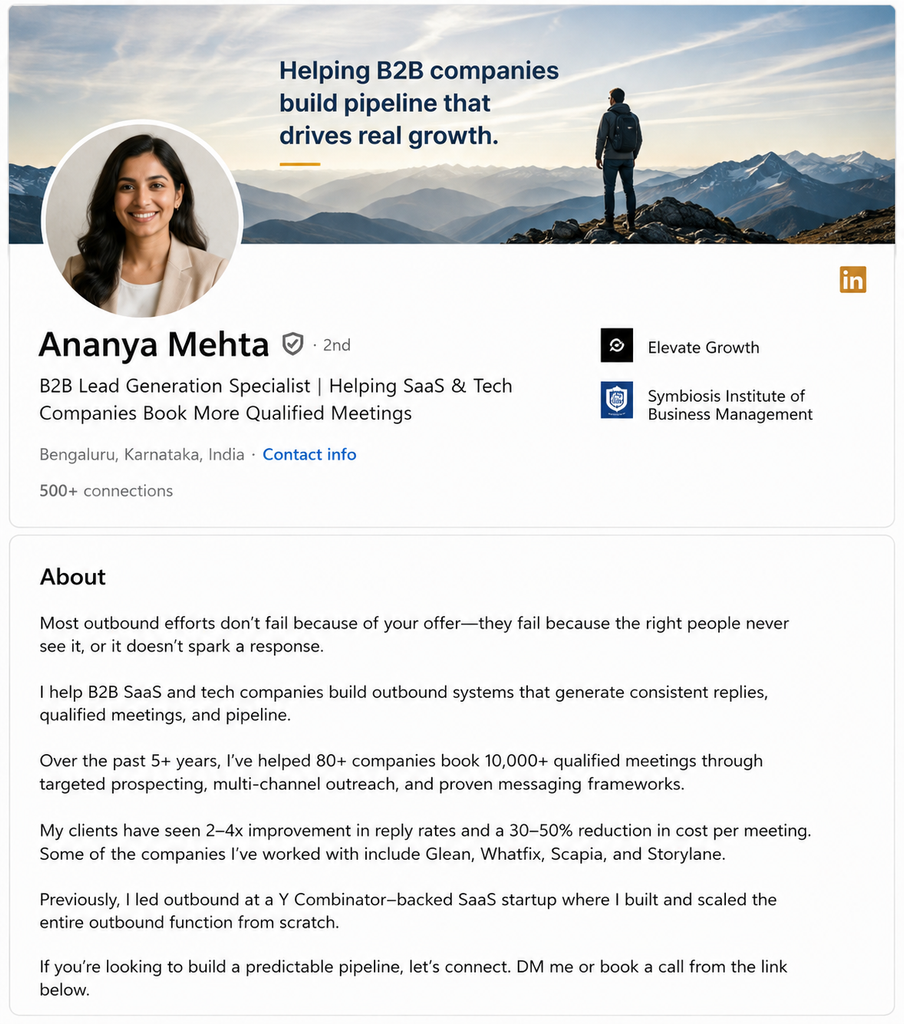
This is where visitors decide. Structure it like short copy, not a biography:
- Hook (line 1–2): name the problem your buyer feels. This is the only part shown before “…see more,” so make it earn the click.
- Who you help and the outcomes you create.
- Proof: results, numbers, recognizable clients, credentials.
- A clear call to action: exactly what to do next (“Book a call,” “DM me ‘AUDIT,’” “Grab the free guide below”).
Write in first person. Break it into short lines. Read it aloud, if it sounds like a bio, rewrite it.
🕊️ Scout’s take
Here’s the sequence that actually works: optimize the profile first, then start outreach. When you send a connection request or a cold message, the very first thing a prospect does is click your profile. If it’s a lead-ready landing page, your reply rates jump, sometimes dramatically. If it’s a résumé, you’ve lost them. Inside PigeonScout we tell every user the same thing: a great sequence pointed at a weak profile is a leaky bucket. Fix the profile, then pour.
4. Featured section: your conversion zone
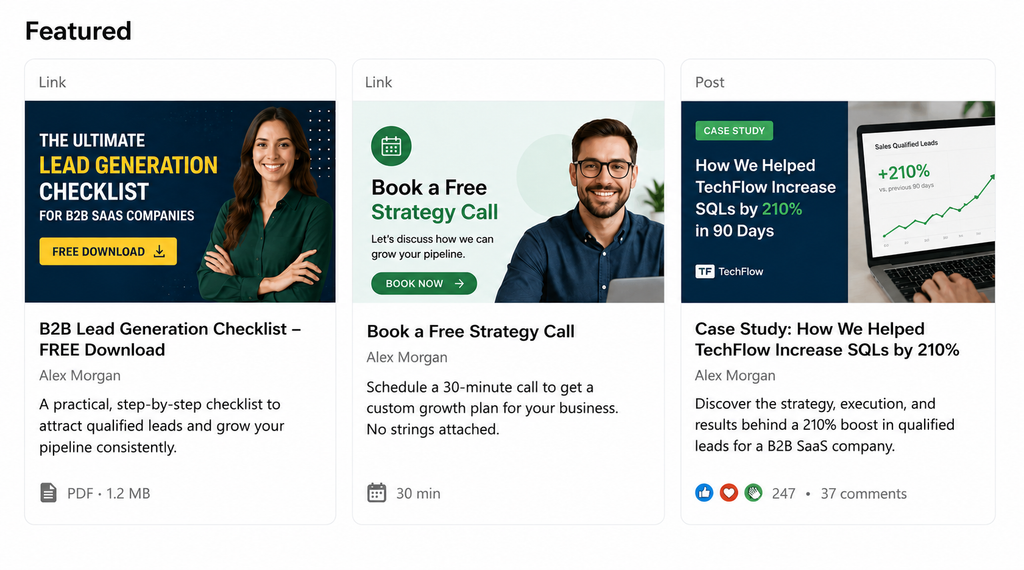
The Featured section sits right under your About and is criminally underused. Put your money assets here:
- A lead magnet (guide, checklist, template)
- A booking link (Calendly, etc.)
- A case study or your best-performing post
- A short demo video
This is where profile visitors convert into leads. If it’s empty, you’re leaving deals on the table.
5. Experience: reframe duties as outcomes
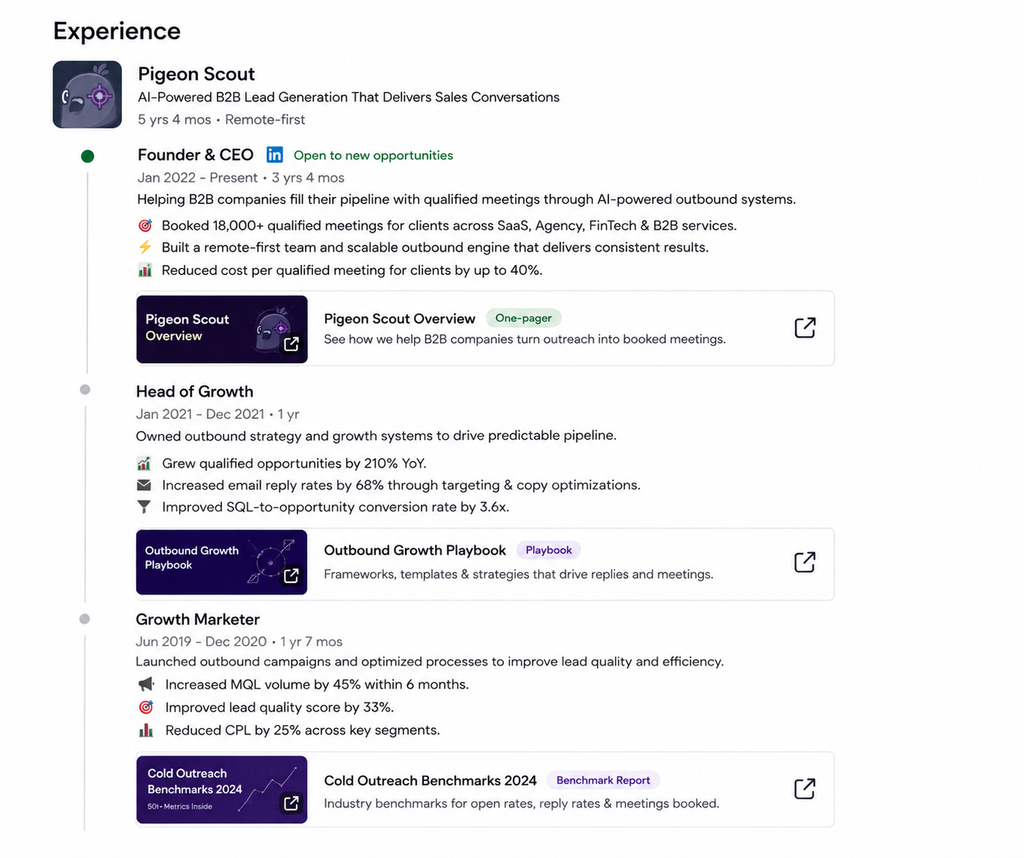
For your current role especially, don’t list responsibilities, list results and the problems you solve. Add media (one-pagers, links, case studies). A prospect scanning your Experience should keep seeing evidence you can help them.
6. Skills, endorsements & recommendations: social proof
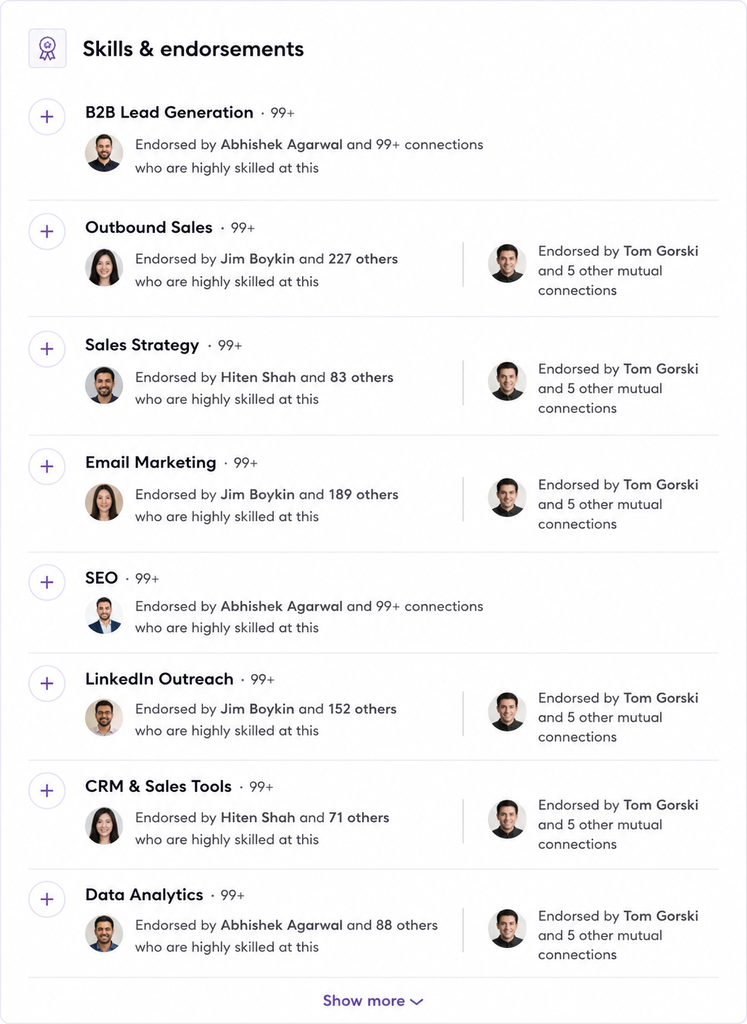
- Skills: pin the 3 that match what you want to be found and hired for.
- Recommendations: worth more than any self-description. Ask 3–5 happy clients or colleagues for a specific one this week. A prospect reading “they booked us 40 meetings in 90 days” from a real client is worth a thousand adjectives you write about yourself.
7. Contact info & CTA: remove the friction
Make it effortless to reach you. Add your website and a booking link to your contact info, and repeat your primary CTA in the About section. Never make an interested prospect hunt for how to take the next step.
The Lead-Ready Profile Checklist
- ✅ Friendly, high-trust photo
- ✅ Banner used as a billboard (who + proof + CTA)
- ✅ Headline = who you help + outcome + how
- ✅ About opens with a hook, ends with a CTA
- ✅ Featured section has a lead magnet + booking link
- ✅ Experience reframed as outcomes
- ✅ 3–5 specific recommendations
- ✅ Contact info includes booking link
From Optimized Profile to Actual Pipeline
A great profile generates inbound interest, people who find you, view you, and reach out. But the fastest-growing operators pair that with deliberate outbound: reaching the exact right prospects instead of waiting to be found.
The two work together. Your optimized profile is what makes outbound convert, because every person you contact checks your profile before replying.
🕊️ Turn your profile into a pipeline
Once your profile is a lead magnet, PigeonScout is how you put it in front of the right people at scale, safe, human-paced LinkedIn and email outreach with AI replies that actually sound like you. Your profile does the convincing; PigeonScout does the reaching. [See how it works →]
Frequently Asked Questions
How do I optimize my LinkedIn profile for lead generation? Treat your profile as a landing page. Use your banner and headline to state who you help and the outcome you deliver, write your About like a short sales page ending in a call to action, and load your Featured section with a lead magnet and a booking link.
What’s the most important section for generating leads? The headline and the first two lines of your About. They’re what visitors see before deciding whether to keep reading. After that, the Featured section is where interested visitors actually convert.
How long should my LinkedIn About section be? Long enough to hook, prove, and prompt action, usually 3–5 short paragraphs. What matters more than length is that the first two lines earn the “…see more” click.
Do I need LinkedIn Premium to generate leads? No. A fully optimized free profile generates inbound leads on its own. Premium (or Sales Navigator) helps you find and reach more prospects, but the profile does the converting.
How often should I update my profile? Refresh it whenever your offer, role, or best proof point changes, and revisit your headline and Featured section quarterly as your results grow.
The Bottom Line
When you optimize your LinkedIn profile for leads, you stop treating it as a résumé and start treating it as your hardest-working salesperson, one that works 24/7, converts the traffic you already get, and makes every outreach message land better.
👉 Read next: [LinkedIn Profile Keywords: How to Get Found] and [How to Write a LinkedIn Summary (With Examples) (2026)].