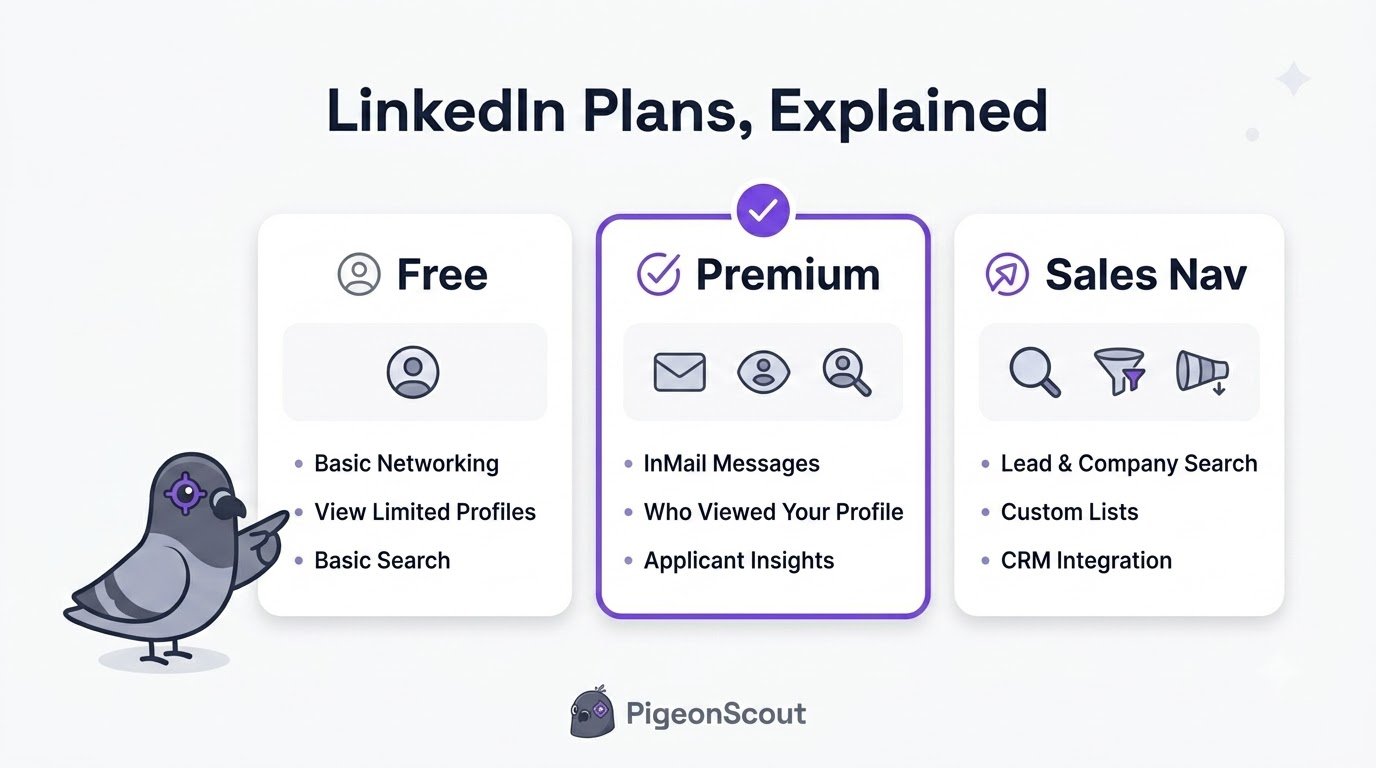
Most people never move off the free LinkedIn account, and honestly, most people shouldn’t. But if you’ve ever hit a wall on searches, wanted to message someone outside your network, or wondered whether Sales Navigator is worth it, you need to understand what each plan actually gives you.
This guide breaks down every LinkedIn account type in 2026, what it costs, what you get, and, more importantly, who it’s actually for. No upsell, just a clear decision.
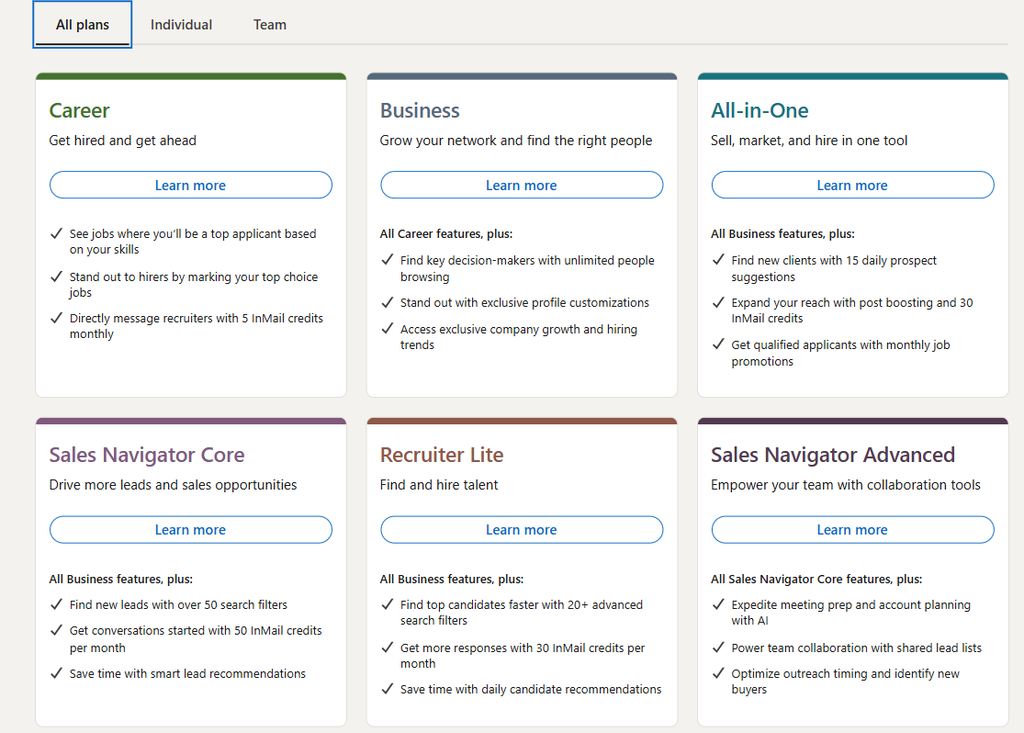
The LinkedIn Account Types at a Glance
There are really two families of LinkedIn accounts: the free (Basic) account, and a set of paid subscriptions split across job-seeking, business, sales, and recruiting.
| Plan | Price (USD, monthly)* | InMail credits/mo | Best for |
|---|---|---|---|
| Free (Basic) | $0 | 0 | Everyone, networking, posting, job applications |
| Premium Career | $39.99 | 5 | Active job seekers |
| Premium Business | $69.99 | 15 | Consultants, founders, general networking |
| Sales Navigator Core | $119.99 | 50 | Sales & lead generation |
| Sales Navigator Advanced | $143.99 | 50 | Sales teams needing team + CRM features |
| Recruiter Lite | $169.99 | 30 | Recruiters & hiring managers |
* US pricing, mid-2026. Annual billing typically saves ~20%. LinkedIn has begun showing higher list prices (e.g., ~$39.99 Career, ~$69.99 Business) to brand-new subscribers, and prices vary by region, always confirm at checkout, and subscribe from desktop to avoid app-store surcharges.
Free (Basic): What You Actually Get
Before you pay for anything, know that the free account is genuinely capable. You can:
- Build a full profile and unlimited connections
- Post content and message your connections
- Apply to jobs
- Do basic searches (with monthly “commercial use limit” caps)
- Join groups and follow companies
The main limits you’ll bump into: capped search results if you search heavily, no InMail to people outside your network, and only limited “who viewed your profile” data.
🕊️ Straight from the flock
Here’s something the upgrade page won’t tell you: no LinkedIn plan automates your outreach. Premium and Sales Navigator give you better search and visibility, they don’t send your connection requests or follow-ups for you. That’s a separate job, and doing it safely at scale is exactly the problem PigeonScout solves. You can run effective outreach on a free or Sales Navigator account; the plan you choose is about finding people, not contacting them at scale.
Premium Career: For Job Seekers
$39.99/month. Built around getting hired. You get 5 InMail credits, “who’s viewed your profile” for the last 90 days, salary insights, LinkedIn Learning courses, and a “Featured Applicant” badge that pushes you up in recruiter searches.
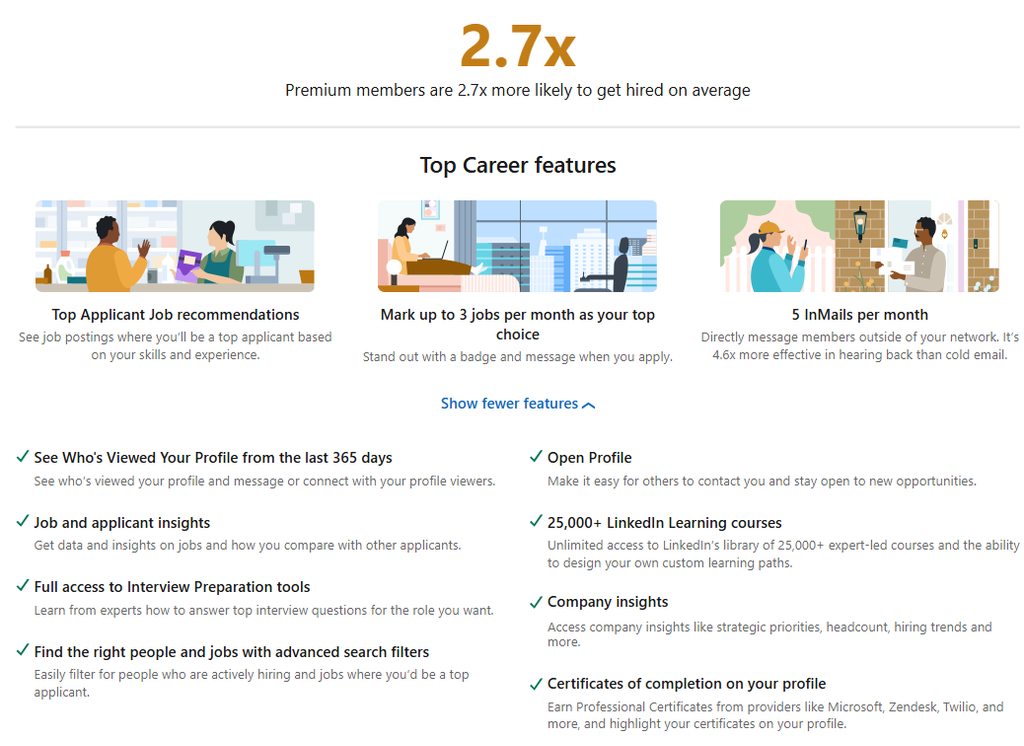
Worth it if: you’re actively job hunting right now. Outside an active search, the value drops fast, LinkedIn Learning access is often the main reason people keep it.
Premium Business: For Networking & Small Business
$69.99/month. Everything in Career, plus 15 InMails, unlimited people browsing (no commercial-use cap), and company insights (headcount trends, growth data).
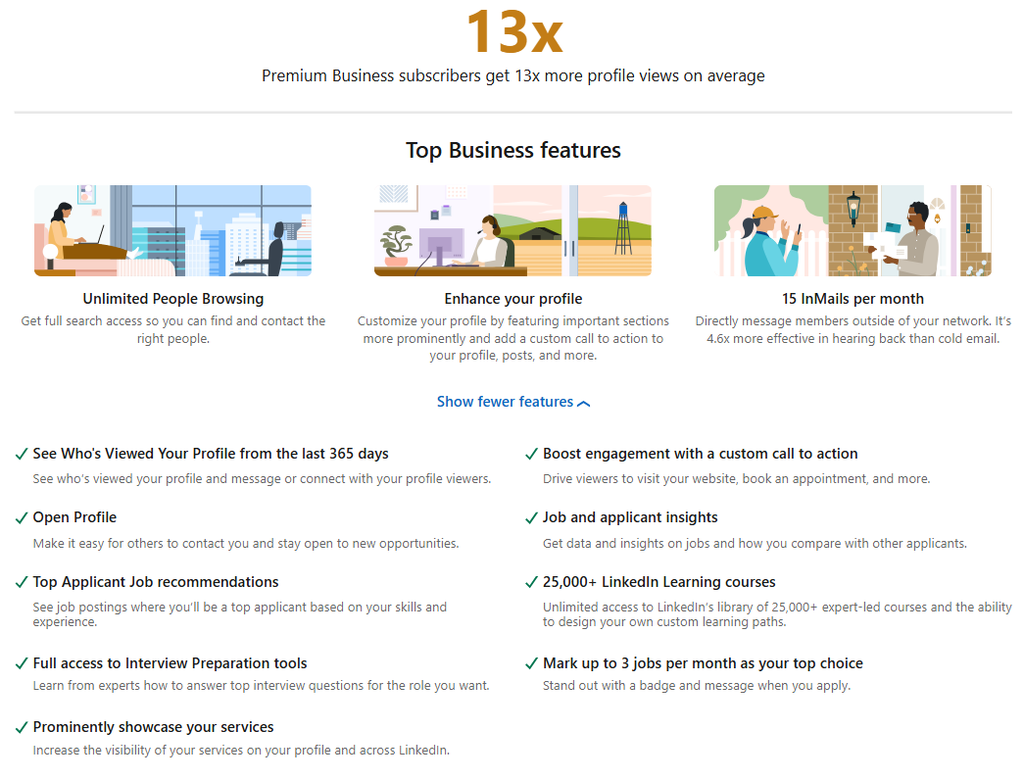
Worth it if: you research companies and browse profiles heavily, consultants, founders, business developers. If you only occasionally search, the free account is fine.
Sales Navigator (Core & Advanced): For Sales & Lead Gen
Core – $119.99/month; Advanced – $143.99/month. This is the real prospecting tool. You get 50 InMails, advanced lead and account search with dozens of filters, saved lead lists, real-time alerts, and lead recommendations. Advanced adds team collaboration, TeamLink, and CRM integrations.
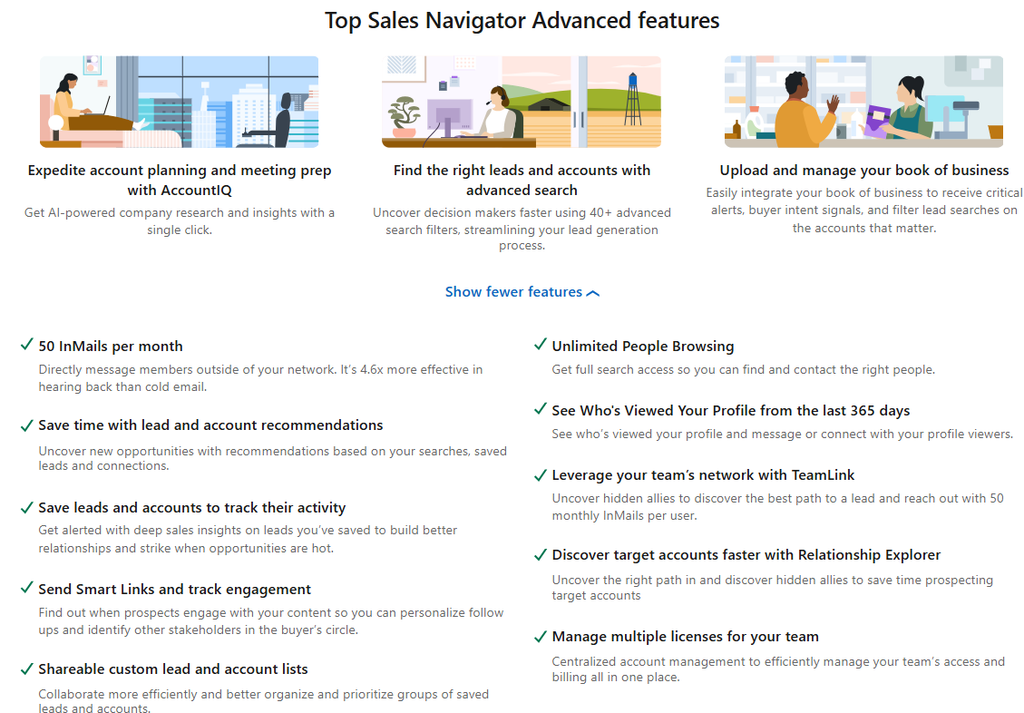
Worth it if: you spend real time prospecting each week. The advanced search filters alone (seniority, function, company headcount, recent job changes) make building a targeted list dramatically faster than free search.
🕊️ Where PigeonScout fits
Sales Navigator is fantastic for building the list. But once you’ve got 500 perfect-fit prospects, you still have to reach them, safely, without machine-gunning connection requests and getting flagged. That’s the hand-off point. Sales Navigator finds them; PigeonScout reaches them like a human would: paced sending, safe limits, and AI replies that actually sound like you. [See the workflow →]
Recruiter Lite: For Hiring
$169.99/month. Built for sourcing candidates: 30 InMails, recruiting-specific filters, candidate tracking, and pipeline tools. There’s also a far pricier Recruiter Corporate tier for full talent teams.
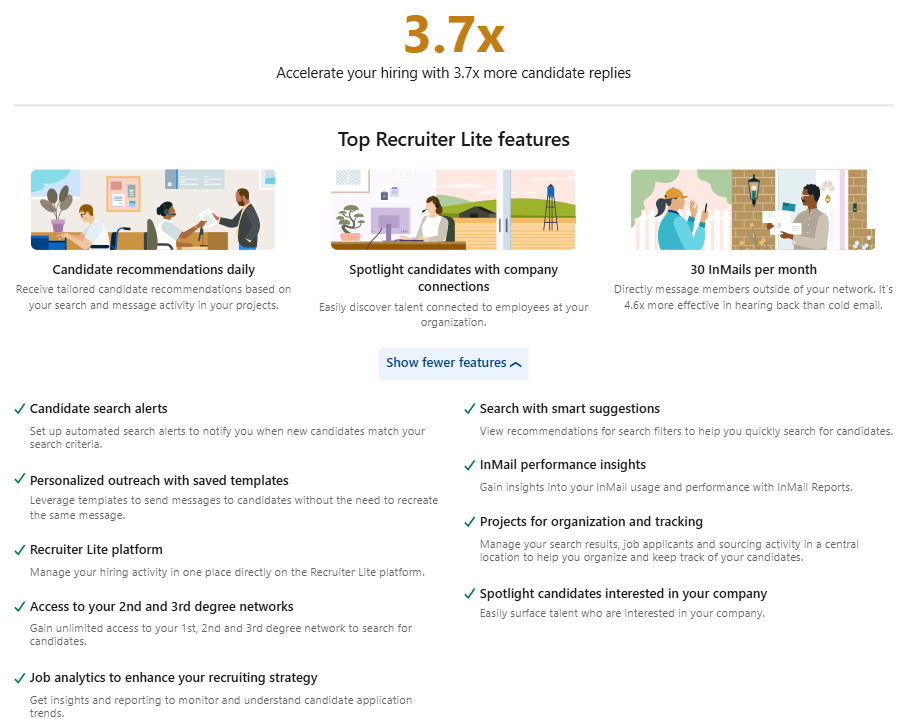
Worth it if: you hire regularly. If you only recruit occasionally, many recruiters actually prefer Sales Navigator, it finds candidates and clients with the same tool for less money.
Which LinkedIn Plan Should You Choose?
A simple decision framework:
- Just networking and posting? → Stay Free.
- Actively job hunting? → Premium Career, and cancel when you land the role.
- Researching companies / light business dev? → Premium Business.
- Prospecting for sales every week? → Sales Navigator Core.
- Hiring regularly? → Recruiter Lite (or Sales Navigator if you do both).
The most common mistake is buying Premium Business when you actually needed Sales Navigator (for prospecting), or paying for either when the free account would have done the job.
Frequently Asked Questions
What are the LinkedIn account types in 2026? Free (Basic), Premium Career, Premium Business, Sales Navigator Core, Sales Navigator Advanced, and Recruiter Lite (plus enterprise Recruiter Corporate). Each targets a different goal, job seeking, networking, sales, or hiring.
Is LinkedIn Premium worth it? It depends entirely on your goal. For active job seekers and weekly prospectors, yes. For casual networkers, the free account is usually enough. Every paid plan offers a free trial, use it before committing.
Do I need Premium to use LinkedIn automation tools? No. Outreach tools like PigeonScout work on a standard free account. Sales Navigator helps you find better prospects, but it’s not required to contact them.
Why is LinkedIn showing me a higher price than the guides say? In 2026 LinkedIn began displaying higher list prices to brand-new subscribers (around $49.99 for Career, $69.99 for Business). Existing subscribers often keep lower rates. Prices also vary by region and are higher through the iOS/Android app, subscribe on desktop to avoid the surcharge.
What’s the difference between Sales Navigator and Recruiter Lite? Sales Navigator is built for finding leads and accounts; Recruiter Lite is built for sourcing candidates. Sales Navigator is cheaper and flexible enough for many recruiters, while Recruiter Lite adds hiring-specific pipeline tools.
The Bottom Line
Pick the plan that matches your actual goal this quarter, not the fanciest one. And remember the thing the upgrade page hides: a subscription helps you find and see people, but reaching them at scale is a different job.
👉 Read next: [How to Use LinkedIn] and [LinkedIn Boolean Search: Find Exactly Who You Want].
🕊️ Ready to reach the leads you find?
PigeonScout turns your Sales Navigator lists into safe, human-paced outreach across LinkedIn and email, with AI replies that sound like a real SDR, not a robot. [Start free →]