Post something on LinkedIn and, within seconds, an algorithm decides who sees it, whether that’s 50 people or 50,000. Understanding how that decision gets made is the difference between shouting into the void and building a real audience.
Here’s how the LinkedIn algorithm works in 2026, explained in plain English: the stages your post moves through, the signals that matter most now, and what actually to do about it.
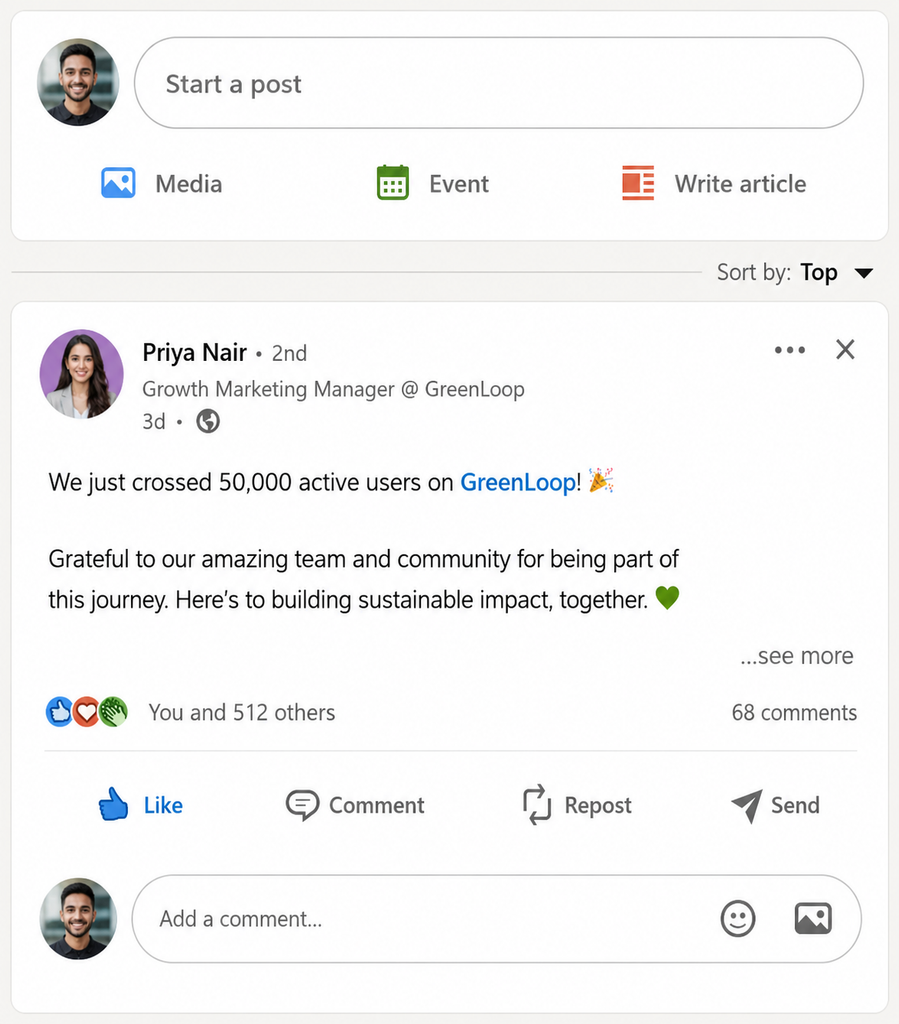
LinkedIn’s default organization for the feed is “Top Updates,” which shows posts that are most relevant to your activity. What you see is based on the accounts and topics you engage with most, like posts you like, share or comment on.
The Big Shift: From Who You Know to What You Know
The most important change in recent years is philosophical. LinkedIn has moved away from an “if you’re connected, you’ll see it” model toward what many call an Interest Graph: it shows your post to whoever is most likely to find it relevant and valuable, connected to you or not.
In practice, this means a genuinely useful post from a stranger can outrank a bland update from a close connection. Expertise and relevance now beat proximity. That’s good news if your content is substantive, and bad news if you’ve been coasting on your network.
LinkedIn has also been ramping up its work to curb the reach of low-value content that is designed more to drive engagement than to share something useful or original. While posts can get some reactions in the immediate term, if they don’t offer meaningful insight, expertise or a new perspective, that engagement may not turn into long-term reach.
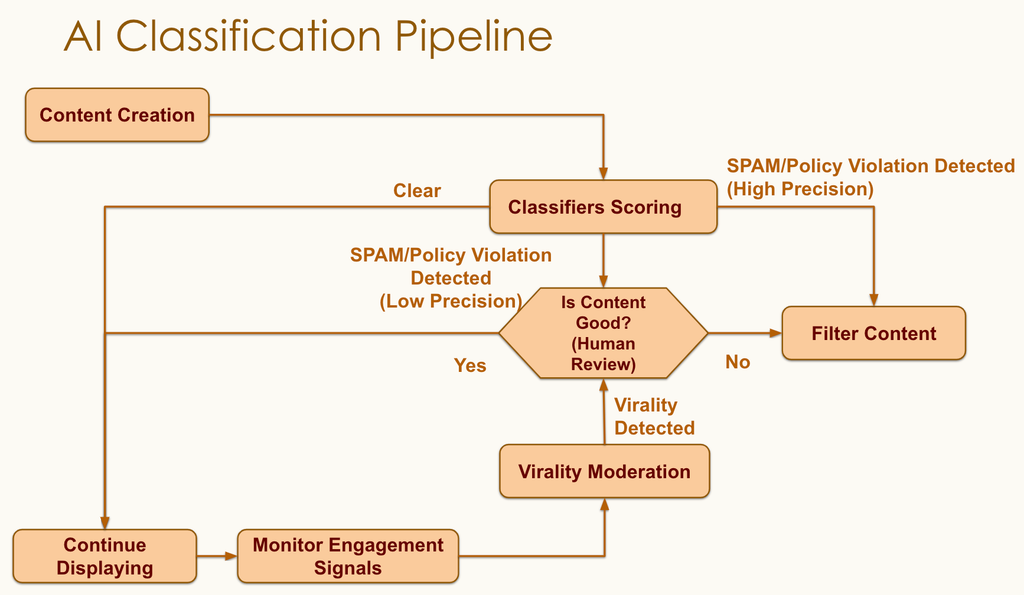
LinkedIn has automated systems that look for obvious spam and low quality content. Posts that are harder to classify may be subject to further review to determine if they meet LinkedIn’s quality standards.
LinkedIn posted a flowchart that explains how this works.
The other headline: the engagement-bait era is over. “Comment YES if you agree” tactics are actively suppressed. LinkedIn’s systems now read what your post says, not just how many reactions it collected.
How the LinkedIn Algorithm Ranks Your Posts
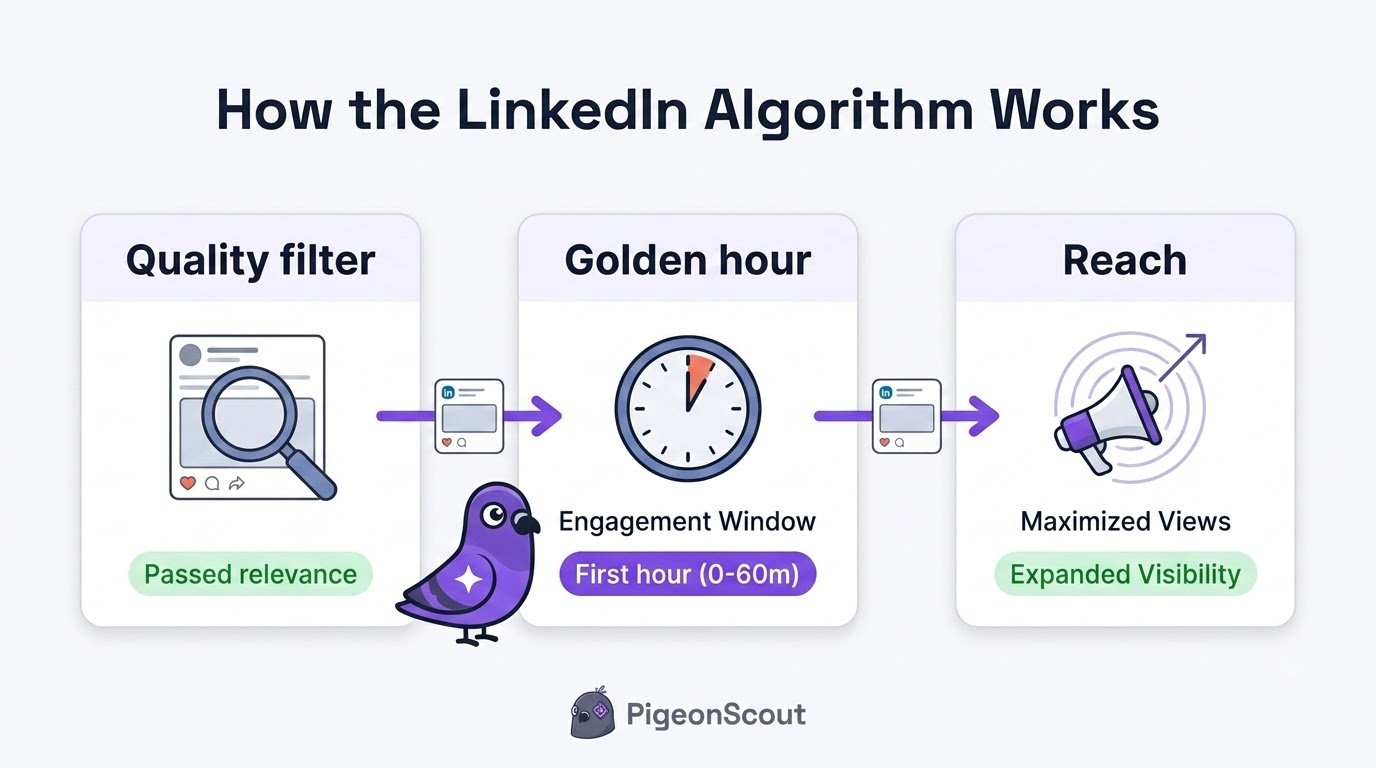
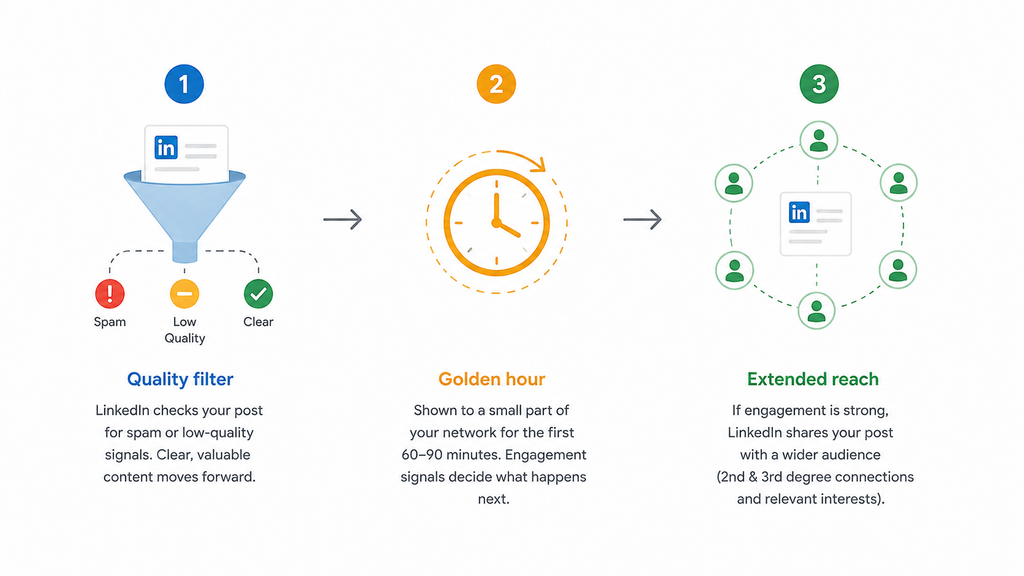
Your post moves through three stages before it reaches a wide audience.
Stage 1: The quality filter
The moment you publish, LinkedIn sorts your post into spam, low-quality, or clear. Posts loaded with hashtags, links with no context, or repetitive promotional language get held back before a single human sees them. Clean, clear posts pass through.
Stage 2: The golden hour
Your post is shown to a small sample of your network. Over the first 60 to 90 minutes, LinkedIn watches how they respond. This is the critical test. Strong, genuine engagement here tells the algorithm your post is worth spreading.
Stage 3: Extended distribution
Pass the golden-hour test and LinkedIn pushes your post to second and third-degree connections and to people with matching interests. Strong performers keep spreading for 48 to 72 hours.
The Signals That Matter Most in 2026
Not all engagement is equal. Here’s what carries weight now, roughly in order.
Dwell time (the quiet heavyweight)
LinkedIn now openly counts how long people spend on your post: whether they click “see more,” how far they scroll, how long they linger. A post that holds attention for 30-plus seconds reads as valuable. This is why a well-written text post or a document carousel can outperform a flashy video: they keep people reading.
Visuals and Infographics
A helpful infographic can distilll complex information and give people a reason to stop scrolling. Well designed infographics that summarize data, explain a process, compare options or highlight key insights can get people to spend more time with the post.
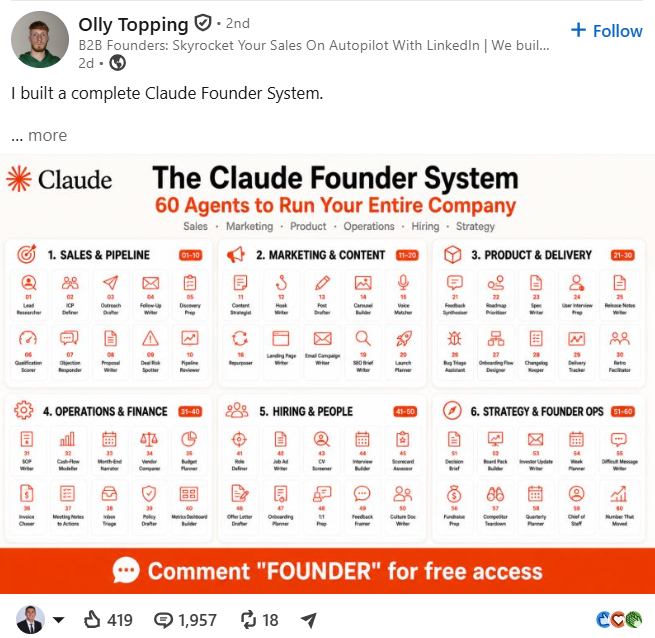
Usefulness is the key. A good graphic without meaningful information doesn’t necessarily do a good job. Keep your focus on clear takeaways, legible design, and information that your audience can use.
Comments over reactions
Posts that naturally invite people to participate can create more discussion. If there’s a real reason for someone to engage, simple prompts like “DM me if you want the template” or “Comment below and I’ll send it to you” can prompt responses.
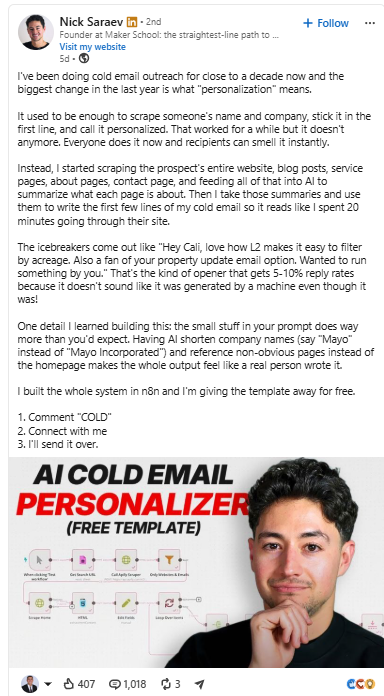
The trick is to make the offer relevant to the post. Don’t just tack on a “comment below” to build engagement. Give people something worth asking, talking about or sharing.
A comment means someone had something to say; a like is passive. Meaningful comments, especially threaded back-and-forth replies, are among the strongest signals. Posts that end with a real question consistently do better.
Saves and reshares
When someone saves your post for later or shares it, that’s a powerful “this has lasting value” signal.
Latest News & Industry Updates
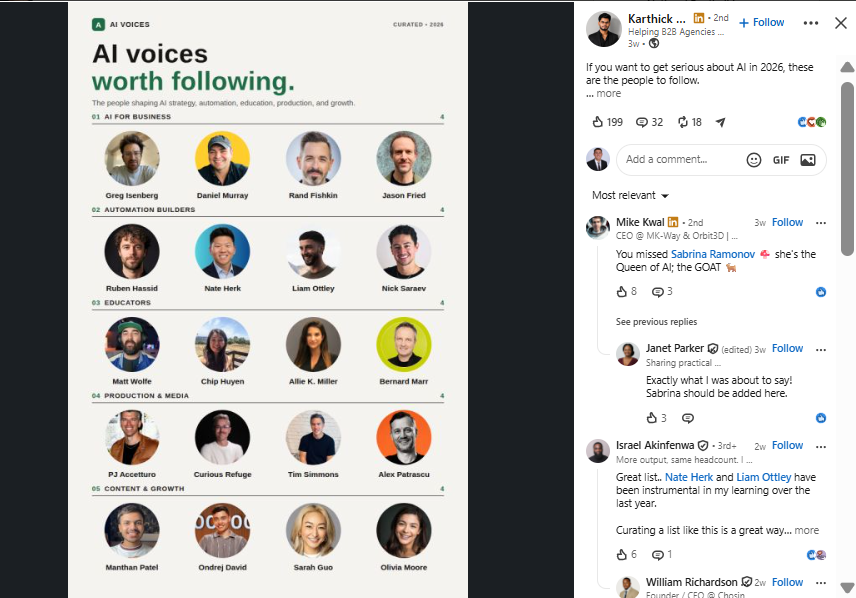
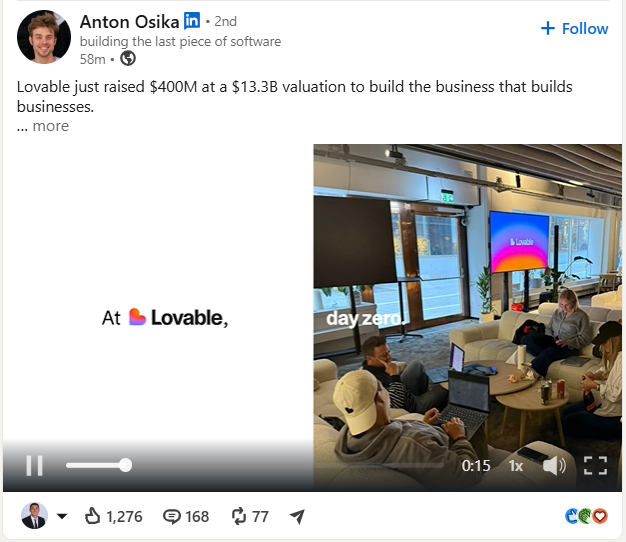
Posts on current events are more valuable when you add your own perspective, analysis or practical takeaways. You don’t just tell people the news, you tell them why it matters, what it could mean to your industry or what your audience should watch for next.
Interesting new research, interesting statistics, surprising facts are also great hooks for engagement. A clear visual and an interesting finding make the information more digestible and more likely to catch someone’s eye when scrolling.
Negative signals
Skips, hides, “not interested,” and reports all quietly push your reach down. Avoid the clickbait that earns them.
🕊️ The PigeonScout angle
The 2026 algorithm rewards exactly the qualities we obsess over at PigeonScout: substance, relevance, and genuine conversation over volume and tricks. It’s the same principle in outreach. Spraying identical messages is the DM equivalent of engagement bait, and it gets you ignored (or restricted). What works, in the feed and in the inbox, is being specific, useful, and human. Build a real audience with your content, then reach them with outreach that sounds like a person, not a bot.
What Actually to Do About It
You don’t need to game the system. You need to work with it:
- Nail your first line. The hook determines whether people click “see more,” which drives dwell time.
- Post to teach. Ask yourself: what will someone know after reading this that they didn’t before? Educational and advice content gets meaningfully more reach in 2026.
- Stay for the golden hour. Don’t post and vanish. Reply to every comment in the first hour to keep the conversation alive.
- End with a genuine question. Real questions earn real comments.
- Be consistent. Frequent, quality posting compounds. Accounts that post several times a week tend to earn more engagement per post, not less, and there’s no reach penalty for frequency.
- Pick a lane. Post around a consistent topic so the algorithm learns who to show you to.
- Skip the bait and the outbound links in-body. Put links in the first comment, and drop the “comment YES” tactics.
Myths Worth Dropping
- “You must post at the perfect time.” Business hours on Tuesday to Thursday skew slightly better, but the golden hour matters far more than the exact minute. Post when you can be present to reply.
- “Videos always win.” Not in 2026. Dwell time rules, and a strong text post or carousel often beats a skippable video.
- “More likes equal more reach.” Dwell time and comment quality outweigh raw like counts.
Frequently Asked Questions
How does the LinkedIn algorithm work in 2026? It runs your post through three stages: a quality filter, a golden-hour test with a small sample of your network, and extended distribution if that test goes well. It increasingly favors relevant, expert content over content from close connections, and it weighs dwell time and meaningful comments heavily.
What is the golden hour on LinkedIn? The first 60 to 90 minutes after you post, when LinkedIn measures how a small test audience engages. Strong early engagement signals the post is worth showing to more people.
What is dwell time and why does it matter? Dwell time is how long people spend on your post before scrolling on. LinkedIn treats longer dwell as evidence of value, which is why attention-holding formats like well-written text posts and carousels perform well.
Does posting more often hurt my reach? No. Consistent, quality posting tends to increase engagement over time, and LinkedIn does not penalize frequency. Quality still matters more than raw volume.
Do hashtags still matter on LinkedIn? A little. A few niche, relevant hashtags help LinkedIn match your post to interested audiences. Stuffing many broad hashtags does not help and can look spammy.
The Bottom Line
The LinkedIn algorithm in 2026 rewards the same thing a good professional does: show up consistently, say something genuinely useful, and spark real conversation. Hook readers in the first line, stay present during the golden hour, and post to teach. Do that, and the reach takes care of itself.
👉 Read next: [What to Post on LinkedIn: Ideas That Get Engagement] and [Best Time to Post on LinkedIn & How Often].
🕊️ Build the audience, then start the conversation
Your content earns attention; PigeonScout turns it into pipeline. Safe, human-paced LinkedIn and email outreach with AI replies that sound like you, so the people who engage with your posts actually hear from you. [Start free →]