The blank “Start a post” box is where most LinkedIn ambitions quietly die. You know you should post. You just don’t know what to post on LinkedIn without sounding like a corporate press release or a motivational poster.
This guide fixes that. You’ll get the formats that earn the most reach in 2026, a simple content-pillar system so you never run out of ideas, and 20+ post ideas with hooks you can use today.
Start With Format, Not Topic
Before the topic, pick the format, because format sets your reach ceiling. Here’s how the main options tend to perform in 2026, based on industry data:
- Text posts: deceptively powerful. A strong hook holds attention (high dwell time), and they’re the easiest to publish consistently. The sweet spot is roughly 800 to 1,000 characters.
- Document carousels (PDFs): among the highest-engagement formats. They’re structured, swipeable, and hold attention, which the algorithm loves.
- Multi-image posts: strong performers that break up the feed.
- Native video and LinkedIn Live: rising fast, and Live in particular drives high engagement. Keep videos short and captioned.
- Polls: good for quick engagement, but use sparingly so they don’t feel gimmicky.
- Single links: the weakest for reach, since LinkedIn prefers to keep people on-platform. Put the link in the first comment instead.
The takeaway: when in doubt, a well-written text post or a document carousel is your safest bet for reach.
Linkedin Webinar : How to Win at Content Marketing
The 5 Content Pillars (So You Never Run Dry)
The secret to consistent posting isn’t inspiration, it’s a system. Pick three to five content pillars, recurring themes you rotate through. A simple set that works for almost anyone:
- Educational: teach something in your area of expertise.
- Story: a lesson from your own experience, a win, or a failure.
- Opinion: a considered take on something in your industry.
- Proof: results, case studies, and behind-the-scenes of your work.
- Engagement: questions, polls, and posts that invite discussion.
Rotate through these and you’ll always have something to post that’s on-brand and varied.
🕊️ From the loft
Your posts are secretly outreach research. When one pillar consistently outperforms the others, that topic is a pain point your audience cares about, which means it belongs in your first outreach message too. If “how to avoid LinkedIn restrictions” is your best-performing post, lead your cold message with that exact problem. At PigeonScout we treat content and outreach as one loop: the feed tells you what resonates, and your outreach uses it. Post, watch what lands, then say that to the right people directly.
20+ LinkedIn Post Ideas That Get Engagement
Grab any of these and fill in your details. The hook (the first line) is in bold.
Educational
- “Most people get [common task] wrong. Here’s the version that works.” Then teach your method.
- “5 things I wish I knew before [milestone].” A quick, scannable list.
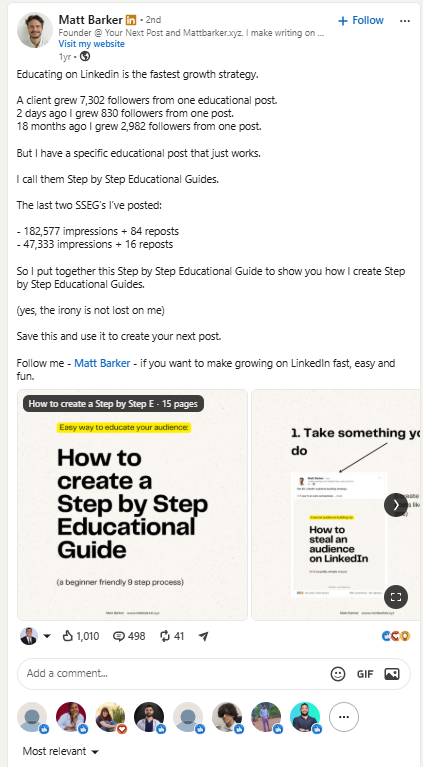
- “Here’s how [process] actually works, step by step.” A carousel is perfect for this.
- “Stop doing [common mistake]. Do this instead.” Contrast is engaging
Story
- “Two years ago I [low point]. Today I [win]. Here’s what changed.”
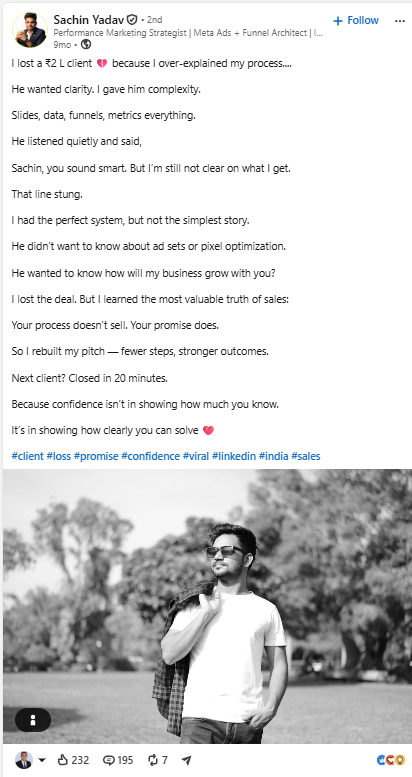
- “I lost a [client/deal/job] because of one mistake. Here’s the lesson.” Vulnerability travels.
- “The best advice I ever got came from [unexpected source].”
- “A [customer/colleague] said something last week that stuck with me.”
Opinion
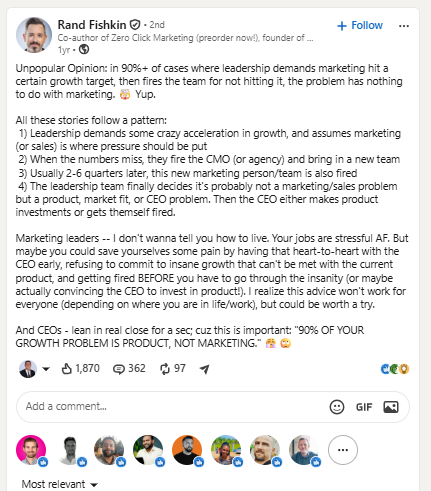
- “Unpopular opinion: [industry belief] is wrong. Here’s why.”
- “Everyone’s talking about [trend]. I think they’re missing something.”
- “[Common advice] is outdated. In 2026, here’s what works.”
Proof
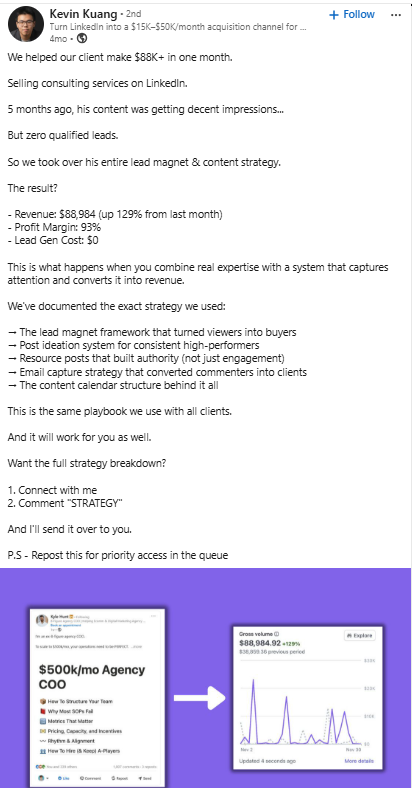
- “We helped a client [result] in [timeframe]. Here’s exactly how.”
- “Behind the scenes of how we [do the work].”
- “Here’s a real before-and-after from [project].”
- “The numbers from our last [campaign/quarter], and what they taught us.”
Engagement
- “What’s one [tool/habit/book] you can’t work without?”
- “Am I the only one who thinks [mild take]?”
- “Quick poll: which matters more, [A] or [B]?” (Use a poll.)
- “Fill in the blank: the hardest part of [role] is ______.”
Timely and human
- “A lesson from [current event or season] for [your audience].”
- “Three things I’m reading/learning/watching this month.”
- “Celebrating [team member / client win].” Genuine celebration performs and builds goodwill.
The Rules That Make Any Post Better
- Win the first line. It decides whether people expand your post. Lead with tension, a result, or a bold claim.
- Write for skimming. Short lines. White space. One idea per line.
- End with a question. Real questions earn real comments.
- Add value before you ask for anything. Give first.
- Reply to every early comment. It fuels the golden hour. (See [How the LinkedIn Algorithm Works in 2026].)
What Not to Post
- Pure self-promotion with no value for the reader
- Engagement bait (“comment YES!”), which is now suppressed
- Walls of text with no line breaks
- Reposts with no added perspective
- Anything you’d cringe to read aloud
Frequently Asked Questions
What should I post on LinkedIn to get engagement? Rotate through a few content pillars: educational tips, personal stories, considered opinions, proof of your results, and questions that invite discussion. Lead every post with a strong first line, and favor text posts and document carousels for reach.
How often should I post on LinkedIn? Consistency beats volume. One to three quality posts a week is a solid starting point, and frequent posting does not hurt your reach. Pick a cadence you can sustain.
What type of LinkedIn post gets the most reach? In 2026, well-written text posts and document carousels tend to perform best because they hold attention (dwell time). LinkedIn Live also drives high engagement. Single external links get the least reach.
How do I come up with LinkedIn content ideas? Use a content-pillar system. Choose three to five recurring themes tied to your expertise and rotate through them, so you always have an on-brand angle to write about.
How long should a LinkedIn post be? For text posts, roughly 800 to 1,000 characters is the sweet spot, long enough to deliver value and dwell time, short enough to stay readable. A punchy sub-100-word post with a great hook also works.
The Bottom Line
Knowing what to post on LinkedIn comes down to two things: pick a format that earns reach (text or carousel, usually), and run a content-pillar system so you never stare at a blank box again. Win the first line, invite conversation, and show up consistently.
👉 Read next: [Best Time to Post on LinkedIn & How Often] and [How to Read Your LinkedIn Post Analytics].
🕊️ From content to conversations
Great posts build an audience that recognizes you. PigeonScout turns that recognition into booked meetings with safe, human-paced outreach and AI replies that sound like you. [See how it works →]