Impressions are the first number LinkedIn shows you after you post, and the most misread metric on the platform. People chase them, dismiss them as vanity, or confuse them with views, often all three.
Here’s the clear version: what LinkedIn impressions actually are, what counts as a good number in 2026, and seven proven ways to get more of them (in a way that builds real opportunities, not just a bigger vanity score).
What Is a LinkedIn Impression?
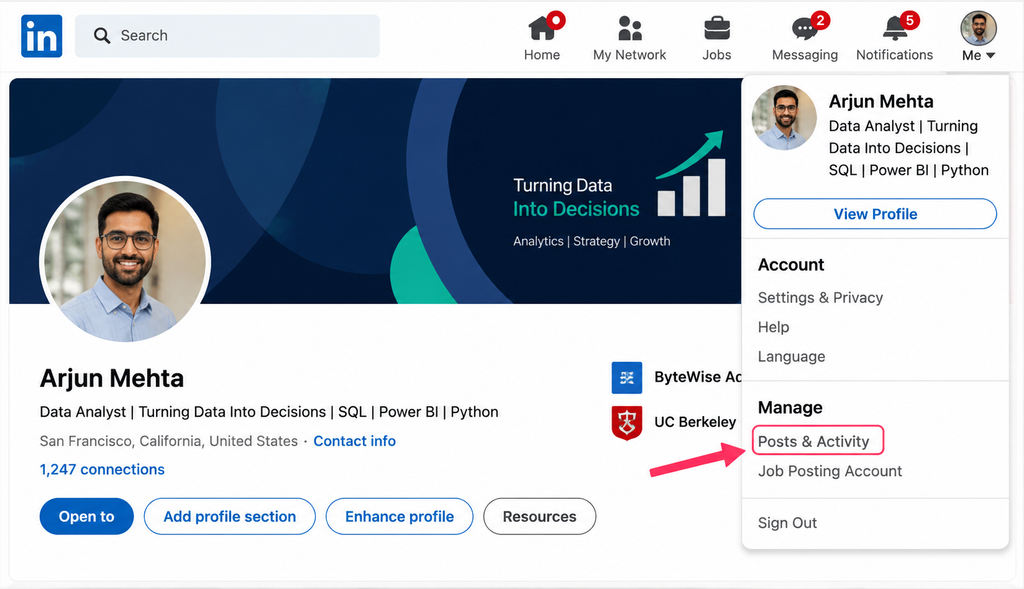
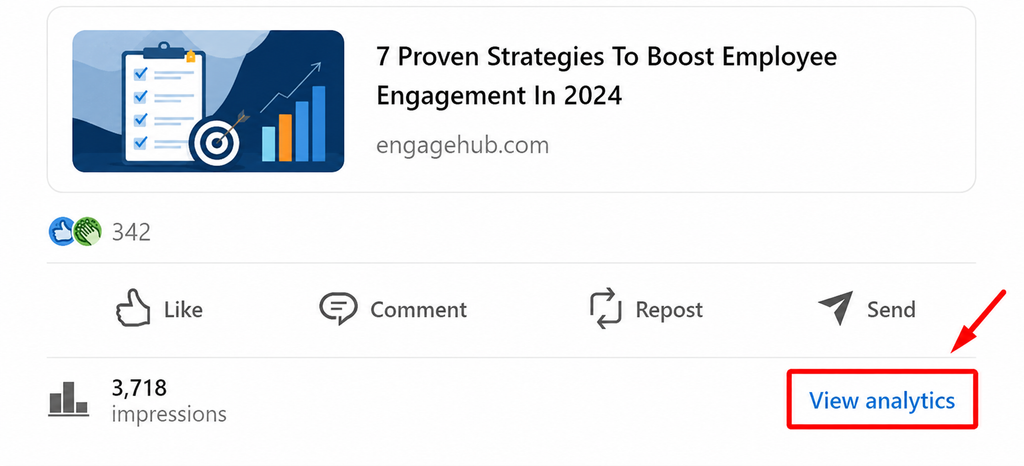
A LinkedIn impression is counted every time your content appears on someone’s screen. It doesn’t require a click, a like, or even a pause. If your post scrolls into view, that’s one impression.
Impressions come from more than the feed, too: search results, notifications, and your profile page all generate them.
Impressions vs. reach vs. views
This trips everyone up, so let’s be precise:
- Impressions: total times your post was displayed, including repeat views.
- Members reached (reach): the number of unique people who saw it.
- Views: for video specifically, when someone actually watches (usually 3+ seconds).
So one person seeing your post three times = 3 impressions, but 1 member reached.
Types of Impressions
- Organic: shown to your network and beyond without paying. This is what most people mean.
- Paid: from sponsored content or ads.
- Viral: when someone engages and their network sees it too, spreading your reach beyond your own followers.
What Counts as a Good Number of Impressions?
There’s no universal target, because “good” is relative to your audience size. A post that gets 2,000 impressions is excellent for someone with 800 followers and modest for someone with 40,000.
A more useful frame is your impression-to-audience ratio and, even better, your engagement rate on those impressions:
- Under ~2.5%: your content is struggling to reach people.
- ~2.5 to 4.5%: gaining visibility.
- ~4.5 to 5.5%: solid.
- Above ~5%: excellent, your audience is genuinely engaged.
One caveat: viewing your own posts can inflate your impressions, so don’t over-read small numbers padded by your own scrolling.
🕊️ From the PigeonScout coop
Impressions aren’t just a vanity number if you use them right. Every impression is a chance for a prospect to see your name and quietly warm up before you ever reach out. Smart operators post consistently so their target buyers keep seeing them, then run outreach into an audience that already recognizes them. Warm outreach beats cold every time. In PigeonScout, we treat content and outreach as one motion: your posts build familiarity, your sequences start the conversation, and both feel human. It’s the opposite of spraying strangers.
7 Ways to Get More LinkedIn Impressions
1. Choose the format before the topic
Format sets your ceiling before you write a word. Native documents (carousels) and multi-image posts tend to earn strong reach; text posts with a great hook punch above their weight. Pick the format that fits, then write the content.
2. Nail the first two lines
LinkedIn shows only the opening lines before “…see more.” A strong hook earns the expand, and the expand signals value to the algorithm, which then shows your post to more people.
3. Post consistently
The algorithm favors accounts that show up. One to two quality posts a week beats a burst followed by silence. (See [Best Time to Post on LinkedIn & How Often].)
4. Earn early engagement
LinkedIn tests your post on a small group first. If they engage in the first 60 to 90 minutes, it distributes wider. End posts with a genuine question, and reply to every early comment to keep the conversation alive.
5. Prioritize comments over likes
Meaningful comments are the strongest signal to the algorithm. Ask something worth answering, and respond thoughtfully. A post with 40 real comments outperforms one with 500 silent likes.
6. Keep people on the platform
LinkedIn suppresses posts that send users away. Put links in the first comment rather than the post body, and let the post itself deliver value.
7. Post about a consistent topic
When you post repeatedly on one theme, LinkedIn learns what you’re an authority on and shows your content to people interested in it. Focus beats scattershot.
What Not to Do
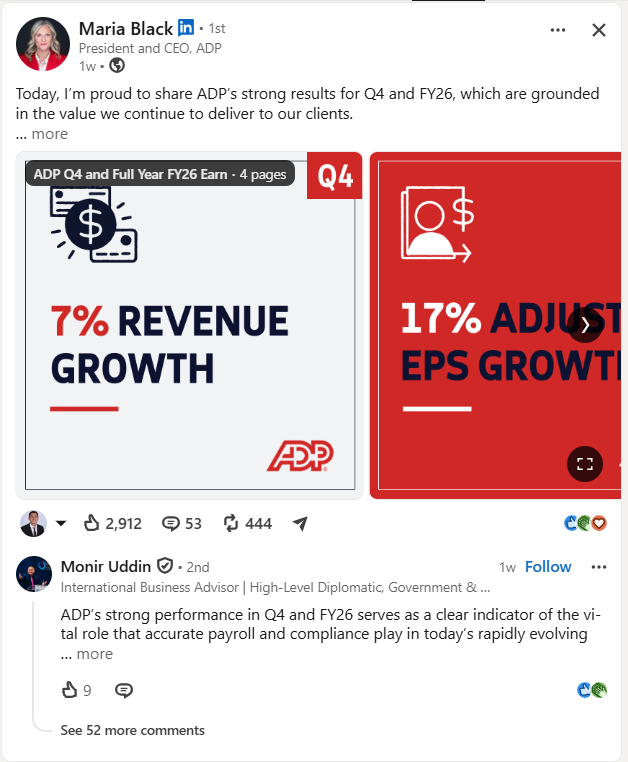
- Don’t chase impressions with engagement-bait (“comment YES if you agree!”). It works once, then the algorithm and your audience both tune out.
- Don’t stuff hashtags. A few relevant ones is plenty.
- Don’t treat impressions as the finish line. They’re the start: no impressions, no engagement, no opportunities.
Frequently Asked Questions
What does impressions mean on LinkedIn? An impression is counted every time your post appears on someone’s screen, whether or not they click, like, or comment. It measures how many times your content was displayed.
What’s the difference between impressions and reach on LinkedIn? Impressions count every display, including repeat views. Reach (members reached) counts unique people. Impressions are usually higher because some people see your post more than once.
How many impressions is good on LinkedIn? It depends on your audience size, so judge by engagement rate rather than a raw number. Under about 2.5% suggests your content is struggling; above 5% is excellent.
Why are my LinkedIn impressions low? Common causes: a weak opening hook, inconsistent posting, little early engagement, links in the post body, or a topic that doesn’t resonate with your audience. Fix the hook and consistency first.
Do impressions matter, or are they just a vanity metric? They’re a leading indicator. On their own they don’t pay the bills, but without impressions you get no engagement and no opportunities. Pair them with engagement and profile visits to judge real performance.
The Bottom Line
LinkedIn impressions are the top of the funnel: the number of times you got in front of someone. Judge them by engagement rate, not raw count, and use the seven tactics above to grow them steadily. Then turn that visibility into real conversations.
👉 Read next: [How to Read Your LinkedIn Post Analytics] and [How the LinkedIn Algorithm Works ].
🕊️ Turn visibility into conversations
Impressions warm your audience up; PigeonScout starts the conversation. Safe, human-paced LinkedIn and email outreach with AI replies that sound like you, so the people who keep seeing your posts actually hear from you. [Start free →]